Spanish Income Withholding Tax
There is an Income Withholding Tax in Spain for some professional when they are not companies. It is called "Impuesto sobre la Renta de las Personas Físicas" or IRPF for short. A withholding is applied when a purchase invoice from such vendor is posted.
Setup
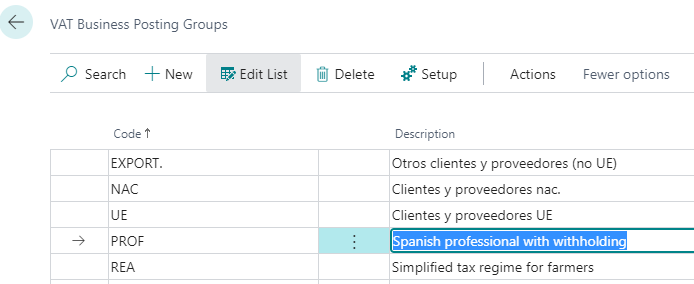
VAT Business Posting groups
Look for VAT Business Posting Groups on tell me (the search icon on the top) and create as
many groups as required.
For example:
PROF: Spanish professional with withholdingREA: simplified tax regime for farmers
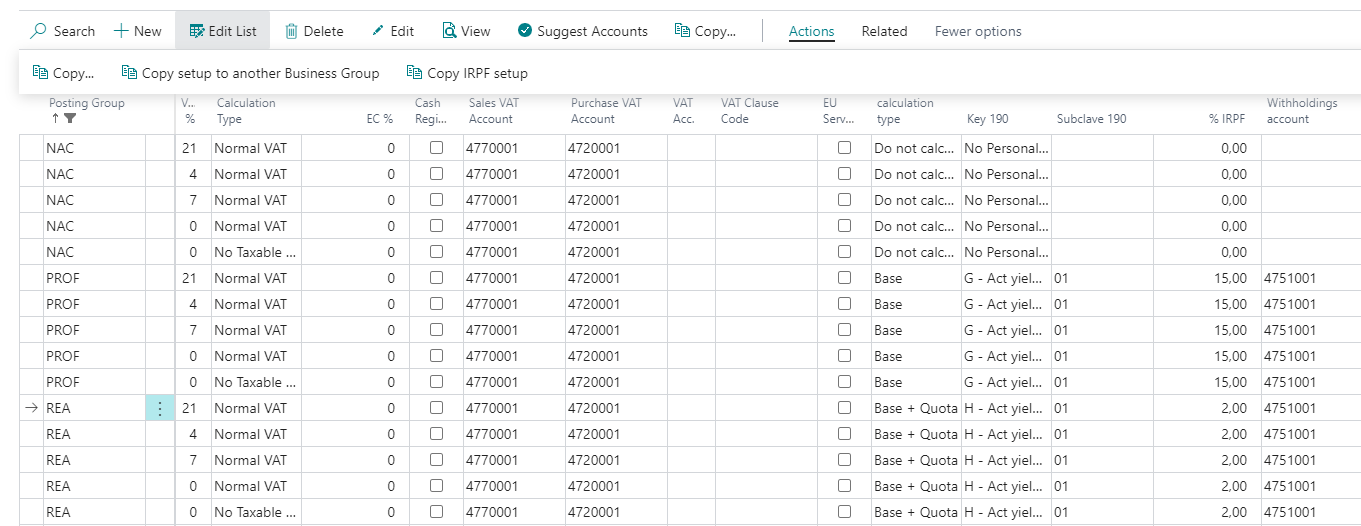
Do the following procedure to duplicate VAT setup for the new groups.
- Select the
NACline (domestic vendors) and click theSetup - Click the action
Copy setup to another Business Group, choosePROFVAT business group and accept confirmation. Repeat this procedure and selectREAVAT Group. - Go to a row of
PROFgroup, change the following columns in one row:- IRPF Calculation type: Base
- Key 190: G
- Subkey 190: 01
- % IRPF: 15
- Withholding account: a general ledger account on the 4751* group
- Click on the action
Copy IRPF setupto copy the setup on the current line to the other setup rows of the same Business Group. - Go to a row of
REAgroup, change the following columns in one row:- IRPF Calculation type: Base + VAT
- Key 190: H
- Subkey 190: 01
- % IRPF: 2
- Withholding account: a general ledger account on the 4751* group
- Click on the action
Copy IRPF setupto copy the setup on the current line to the other setup rows of the same Business Group.
Company information
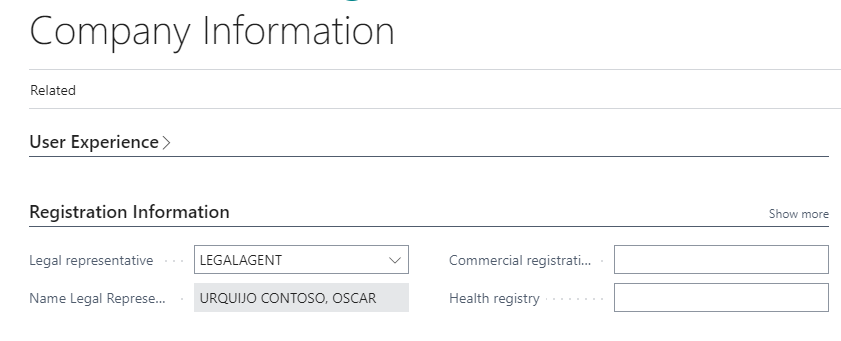
Enter the personal data for the person making the declaration to the tax
authority, for example: the legal agent. Use the search to locate
the Company Information page. Go to the Registration information
and choose one of the personal data list or create a new one.
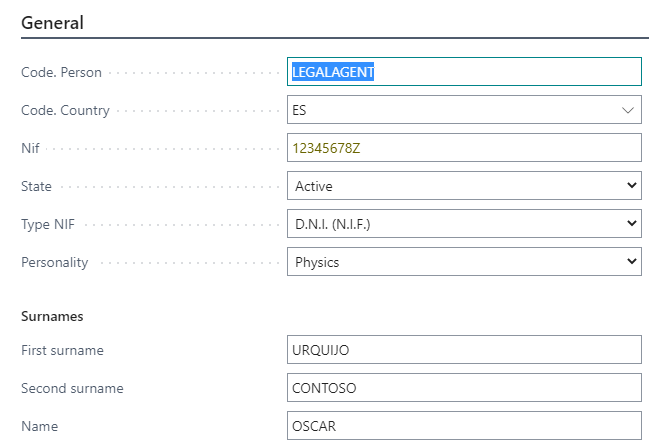
The personal data list holds name, address, phone, ... data that can be
shared among clients, vendors, sales person, employees. When the country
is ES (Spain), it checks the VAT Registration number according to Spanish
rules. You can use 12345678Z as VAT number because Z is the correct
letter for that VAT ID and must provide a 9 digit phone number, for example
123456789.
Usage
Setting up vendors
Create a new vendor or change the VAT Bus. Posting Group in
the Invoicing tab in the Vendor card to either PROF or REA.
You must be sure the vendors have Post code and valid Spanish VAT
Registration numbers (8 digits + 1 letter for people).
You can use these numbers on your tests:
- 11111111H
- 22222222J
- 33333333P
- 44444444A
- 55555555K
- 66666666Q
- 77777777B
- 88888888Y
- 99999999R
Post purchase invoices
Edit a purchase invoice of this vendor. There is a new column on the invoice lines to exclude some line of the withholding. Their initial value is checked because all lines are usually included.
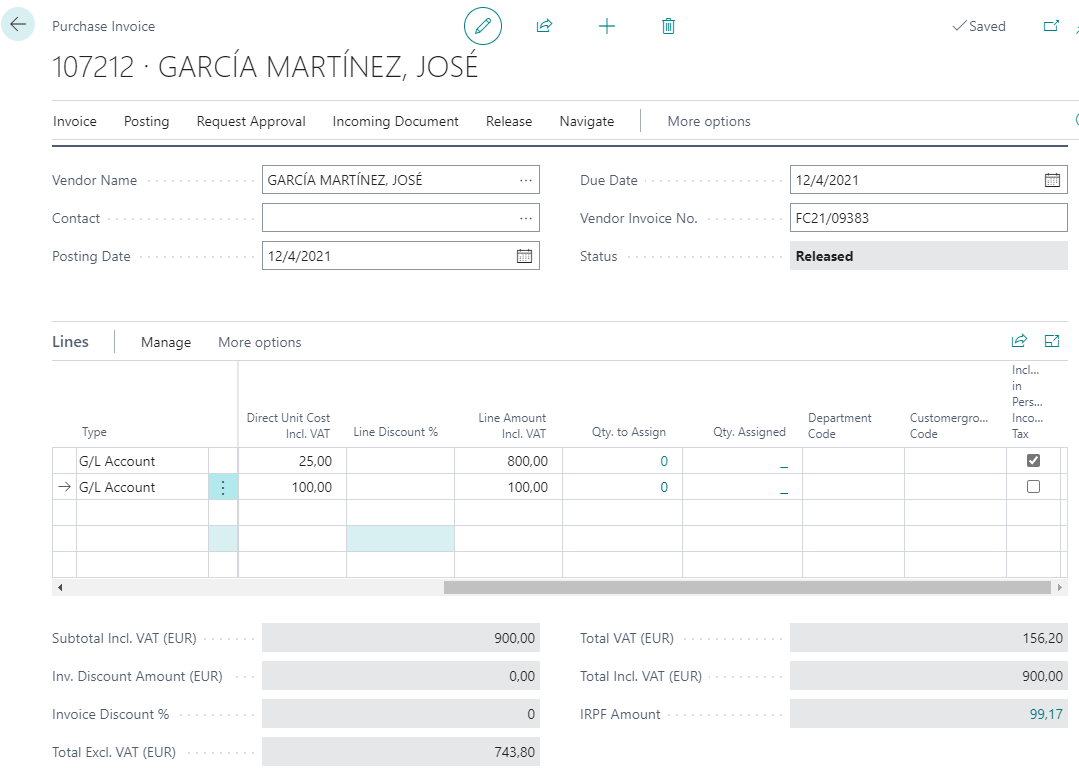
Release the purchase document to get the IRPF amount computed. When you clic on this amount, you get and can change the withhold data. You can see two additional entries on posting preview:
- IRPF Retention: data need for the tax declaration
- Post-invoice discounts: amount to withhold from payment
You can check that the amount used to compute the withholding includes VAT
when the vendor has REA VAT group and it does not when the vendor has
PROF VAT group.
Make yearly declaration
Choose the Irpf action on the Posted Documents of the Accountant Role
center.
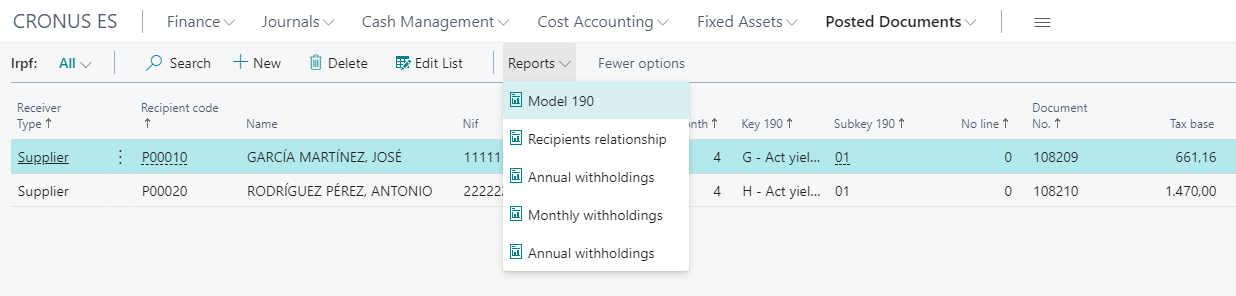
Choose the 190 model, you must filter at least for Excercise:
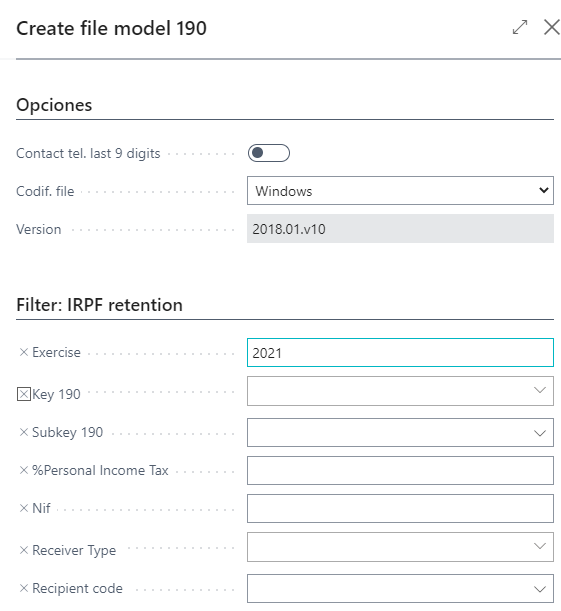
If there are any errors, a list pops up. If the report is successful,
a download starts with the file to send to the Spanish Tax Authority
to comply with Modelo 190 (yearly withholding declaration).