Key Usage Scenario: Cash register.
Cash register allows users to cash in when they post sales, receive payments documents & deposit money or those documents in bank. Each cash register has a balance on each payment methods. It's intented for cashiers or checkers without accounting knowledge.
Setup
The user doing the setup must have D365 FULL ACCESS permissions
and Accountant role. Users of cash register module get all the
needed permissions to use it when they are included in the
D365 SALES user group.
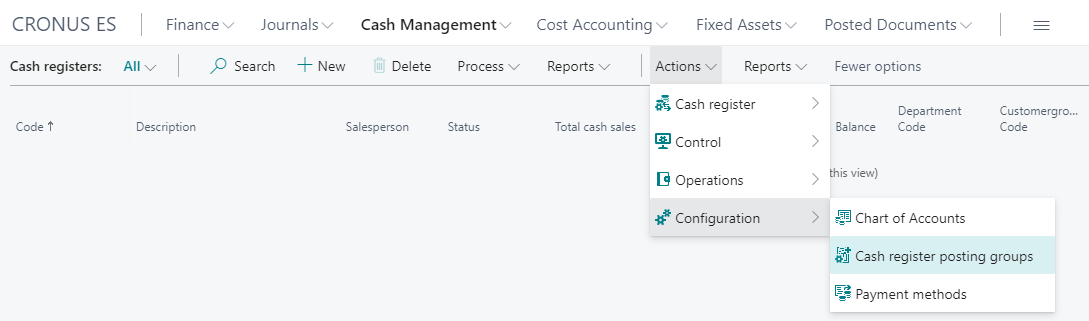
The setup pages are accesible from the Cash register list page on the
Accountant Role Center, within the Cash Management action group, as
you can see on the following picture:

Create posting group
Spanish Chart of Accounts states that cash management accounts must start
with 570, the accountant should check if the company needs more General
Ledger Accounts.
Go to the Chart register posting groups on Configuration group in cash
register list page:
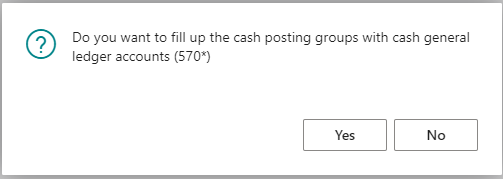
If there is no posting group defined, the page ask you to create one posting
group for each account in the Spanish Group. Answer Yes.
Check the accounts used and close the page.
If you need additional posting groups, create the general register account first and repeat to this procedure.
Create cash register payment methods
Payment methods that create cash register entries have additional data.
Go to the Payment methods from the Configuration.
Execute the Setup cash register payment methods from the Payment Methods
page. This action will create 4 additional payment methods whose code starts
with CASH for real cash, credit card, check and IOU or promisory notes.
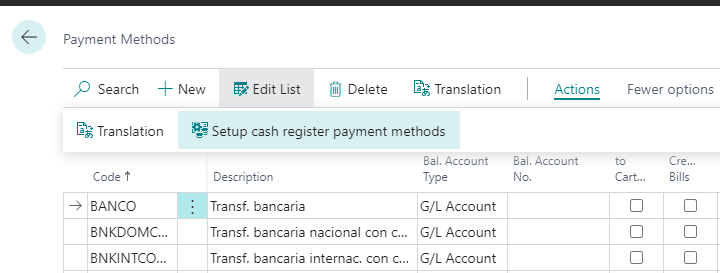
Payment methods related to cash registers are marked and have a cash payment method. It must have the create bills and bills type for payment documents (check or IOU).

Create cash registers
Usually there is a cash register for sales user. Click on New on the
cash register list and fill in the required fields, as you can see in
the following picture:
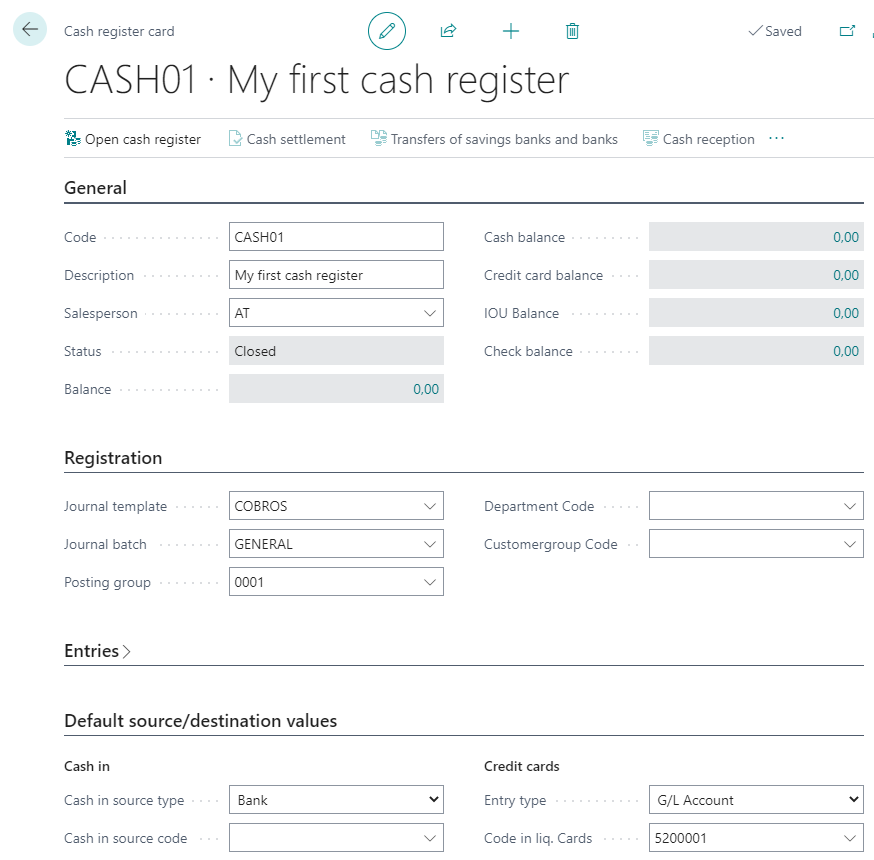
Notes:
- Journal template, journal batch & posting group are needed in order to post the cash payments.
- You can also fill the sales person code or the default values for cash in or cash out, usually bank accounts.
- The cash register must be opened before the user can make any entry but this procedure is explained in the Usage section.
Configure users
Users of cash register must have the cash register activated and some default values can be set up.
Use Tell me to locate User Setup page and fill in the following fields:
User ID: the sales user that will use the cash registerCash management - Sales: check this box, so this user will use this moduleDefault cash register: fill in the code or choose from the list.
Usage
Cashier (checker) users usually start they work day opening the cash register, getting some cash to get change, edit and post the sales documents and close the cash register checking the amounts are correct.
We are assuming this user has the Sales Order Processor role center.
Open cash register
The cashier goes to the Cash registers page on his Sales group,

Then he selects his cash register and clicks on the Open action.
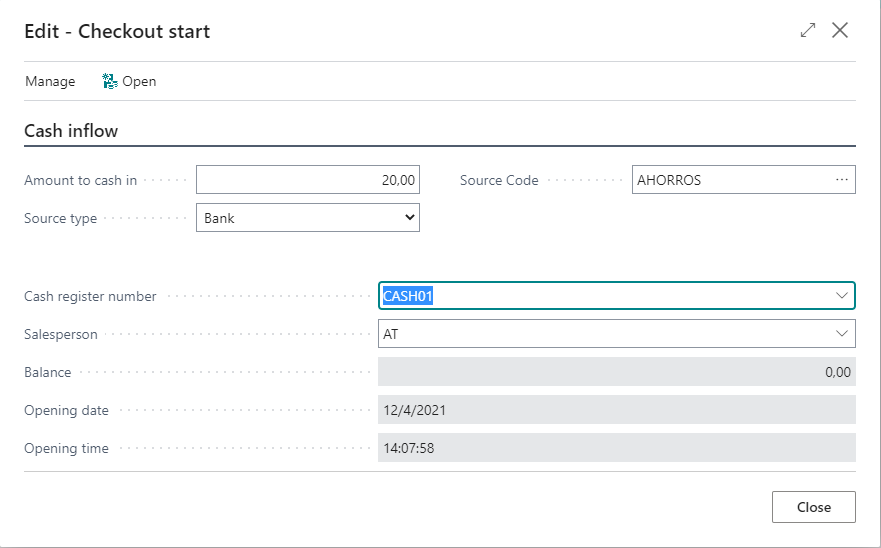
He can fill in the amount to cash in when he receives some cash from
another cash register or bank account. In the following example,
he receives 20 euros from a bank account.
Cash in when posting sales invoices
When the cashier creates a sales document, the cash register number is filled in automaticallly when the payment methods has the cash checked.
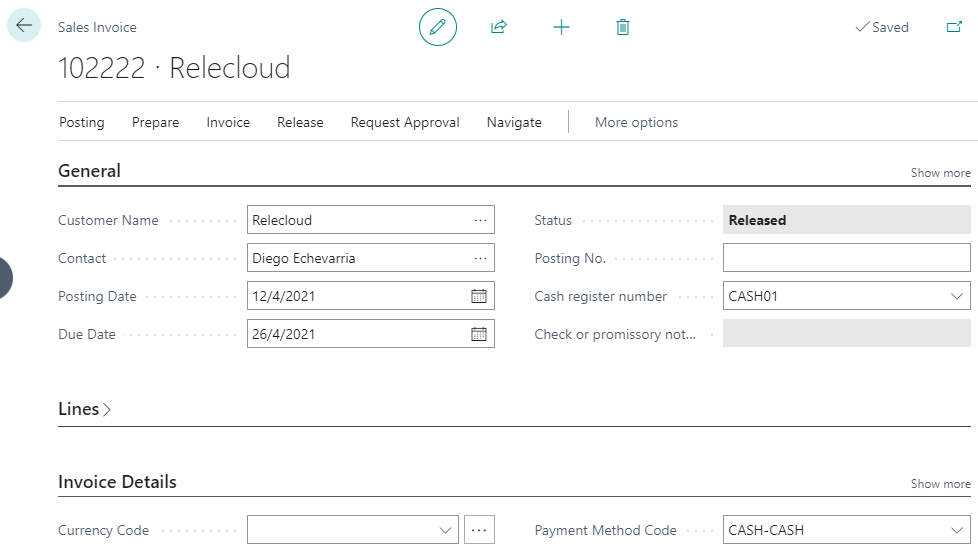
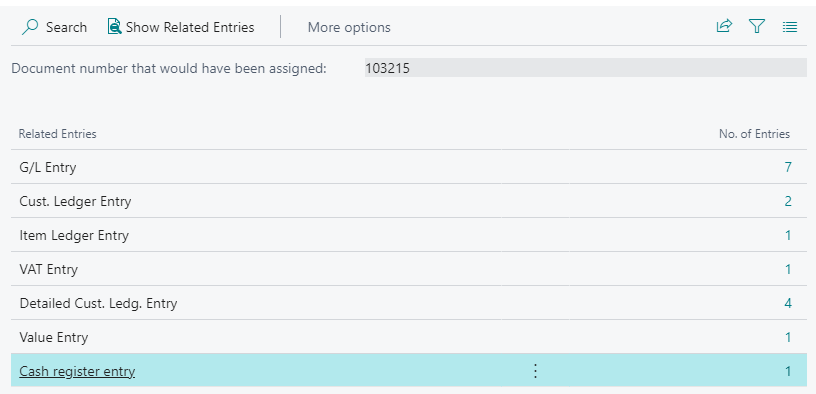
If the cash payment method is cash, a customer payment and a cash register entries are also posted. Those entries are show in the posting preview page.
Cash in after posting sales documents
The cashier can also receive cash or payment documents after posting the sales document. He uses the cash reception page:
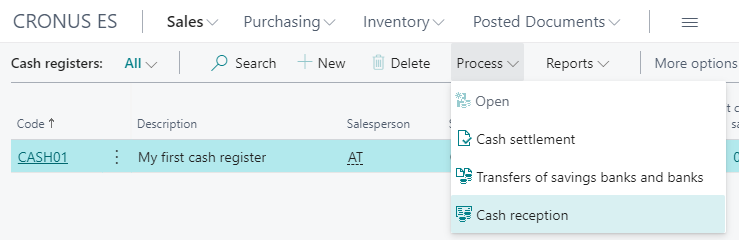
Cash receipt mus fill in customer, date, payment method on this page.
The user usually clicks on Apply entries and chooses open customer
entries on the list, pressing Shit+F11 on row of entry to apply.
This page work as the general journal application page.
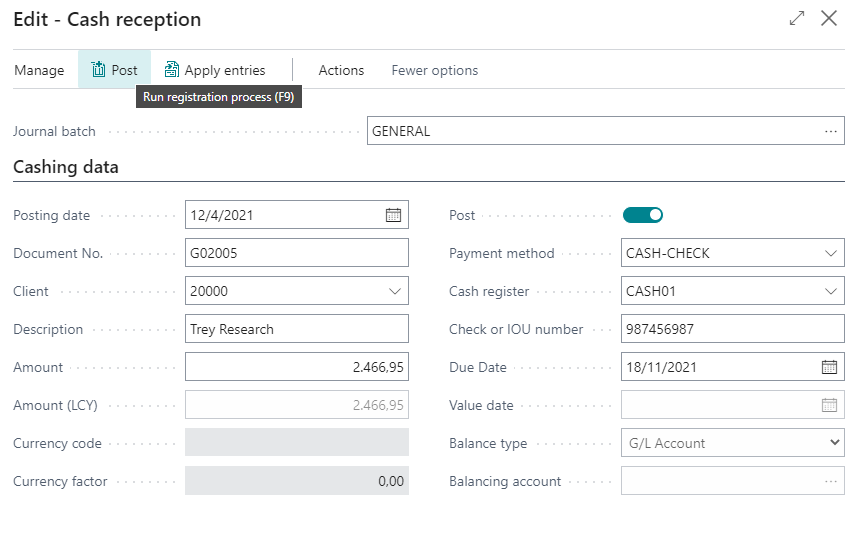
When all the data is correct, the user clicks on Post and the general
ledger is posted. A cash entry is posted on if the payment method has
the cash checked.
Checks or promisory (IOU) notes get out of cash registers when they are included in a bill group (using Spanish Cartera Module).
Accountants can also manage cash registers in the general journal pages:
there is a new value Account type on Account type, but the user must
fill in the cash payment method (cash, ...).
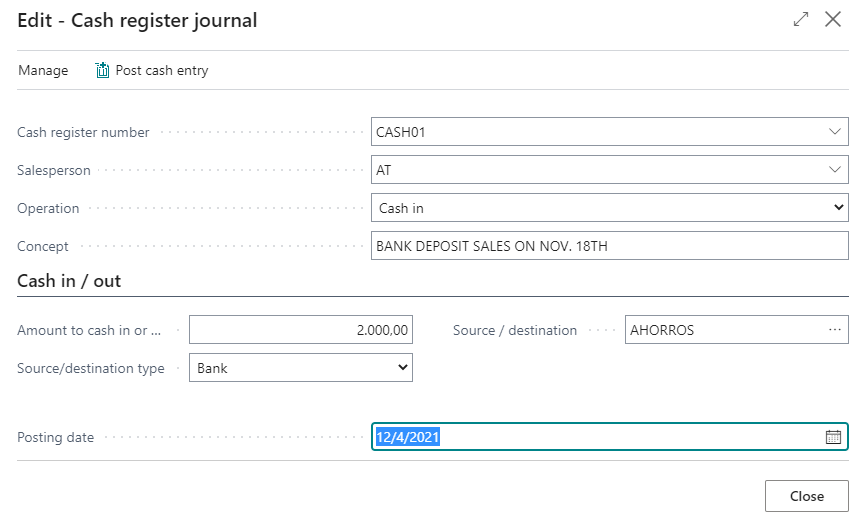
Get cash in or deposit in bank account
The cashier can do a bank deposit using the same page he used to get cash in by just switching to the cash out operation and click on post cash entry.
Settle cash register
The cashier usually does the cash settlement to check the cash & documents he has in his cash register. This action also closes the cash register, so the next action will be open it again.
There are fields to tell how many banknotes or coins are in the cash register in order to make easier to count the cash.
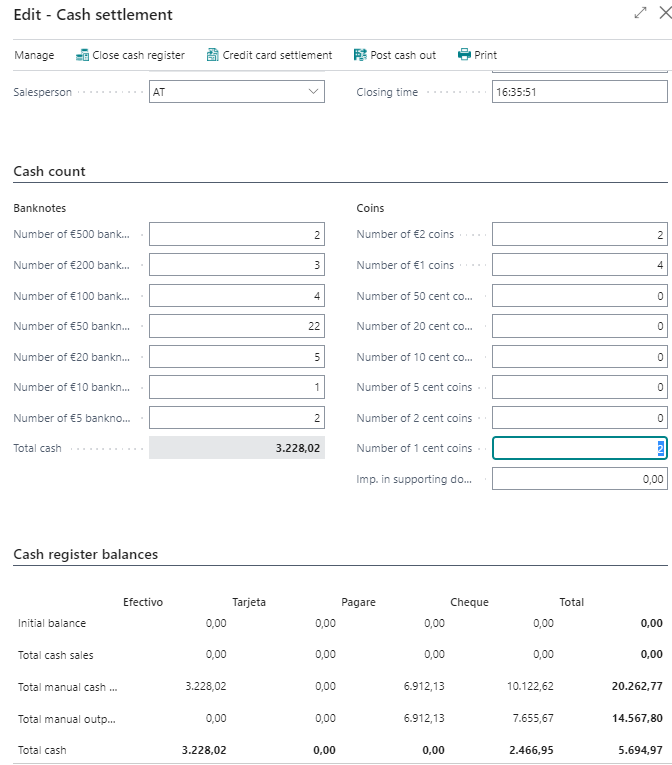
The Post cash out allows to make a cash out before closing the cash
register. This amount is substracted from the final balance.
When all the data is correct, the user clicks on the Close cash register.
An optional report is printed after closing the cash register.
The same cashier or another one must reopen the cash register again before doing more operations on it.