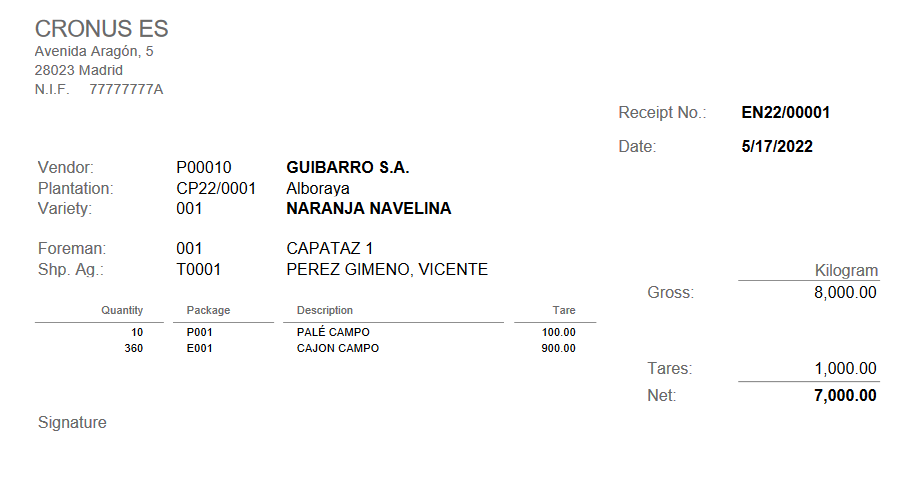
Key Usage Scenario: Print goods receipt
The goods receipt allows to keep the quantity of fruit or vegetables that a vendor brings to the warehouse.
Setup
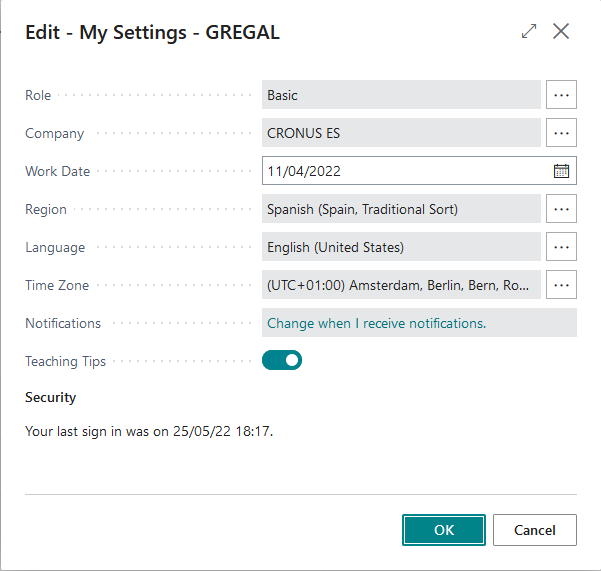
The user running the example must have assigned the D365 BUS FULL ACCESS
permission set and Basic role.
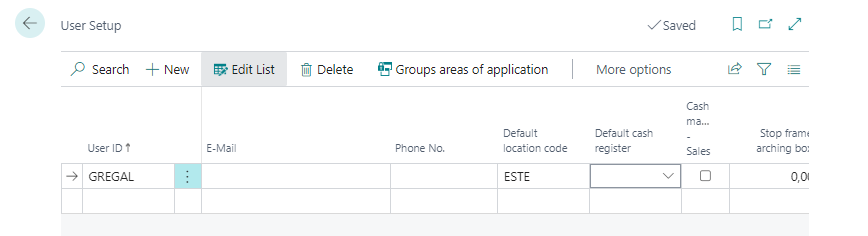
In the "User Setup", the same user should have a record with a default Location
in the Default location code field.
Download from here a configuration package with setup and initial data. Import and apply it.
Create purchase contract
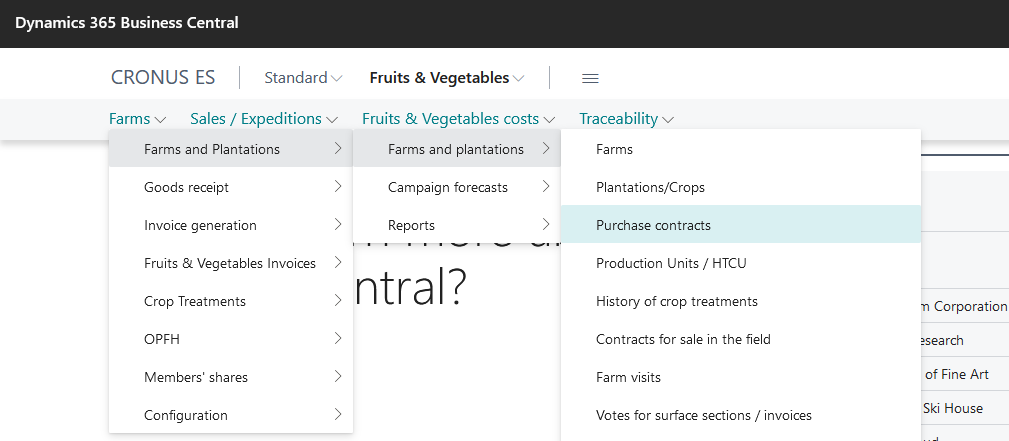
Go to the Purchase contract on Fruits & Vegetables | Farms | Farms & Plantations | Farms & Plantations | Purchase contracts.
Click on +New in the action bar.
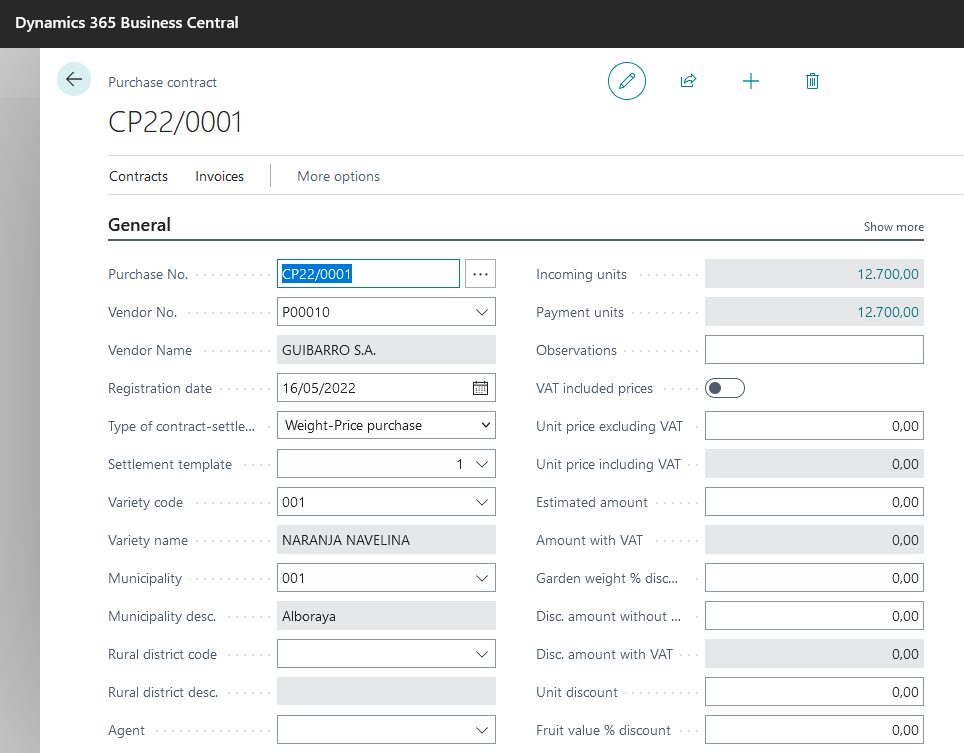
Once we access the card of purchase contract, we must fill in the following fields:
In General group:
- Purchase No.
- Vendor No.: Expand the list and create a new vendor or choose an existing one.
- Registration date.
- Type of settlement contract: Expand the list and choose one.
- Settlement template: It fills automatically when you validate the Type of settlement contract.
- Variety code: Expand the list and choose an existing one.
- Municipality: Expand the list and choose an existing one.
- Estimation units code: Expand the list and choose
KG.
Create vendor
Go to the Vendor on Fruits & Vegetables | Farms | Configuration | People | Vendors.
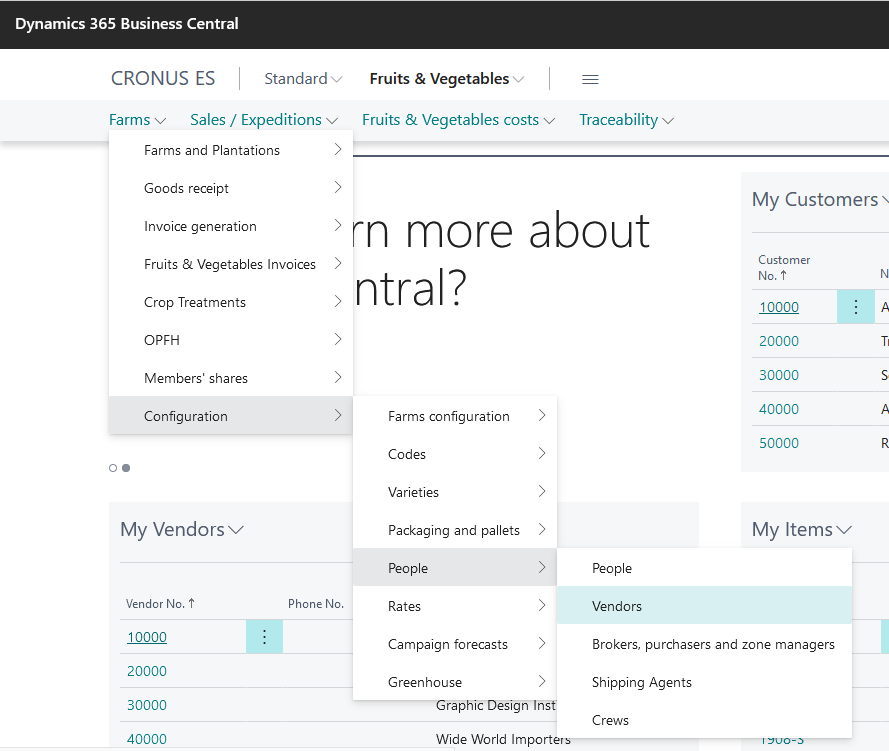
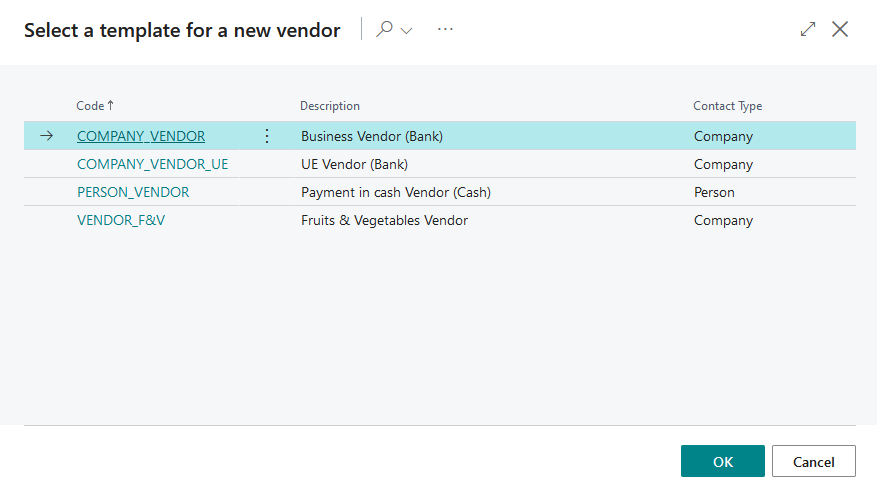
Click on +New in the action bar. Select a template for a new vendor: choose
VENDOR_F&V and press Ok.
Once we access the vendor's card, we must fill in the following fields:
In General group:
- Code. Person (Expand the list and create a new person or choose an existing one).
Goods receipt
We must fill a goods receipt document to print it.
Go to the Fruits & Vegetables | Farms | Goods receipt | Goods receipt | Goods receipt.
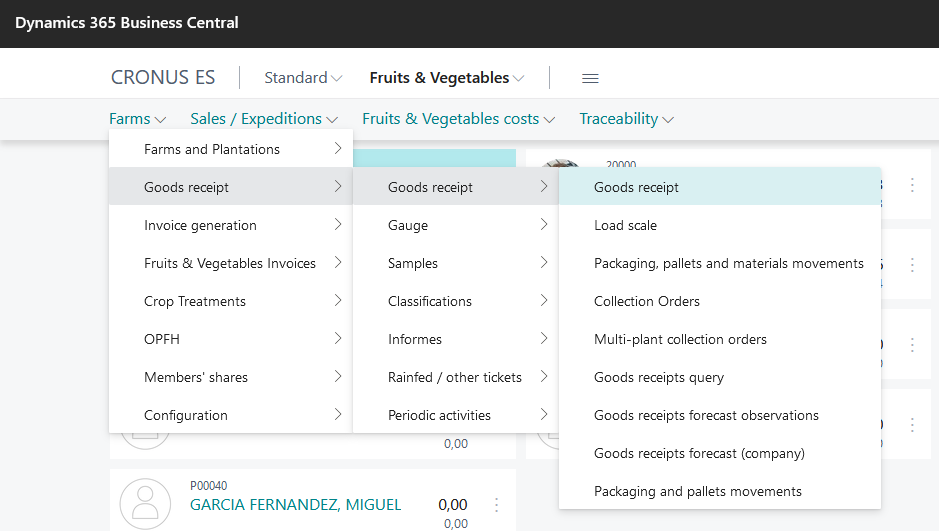
Click on +New in the action bar.
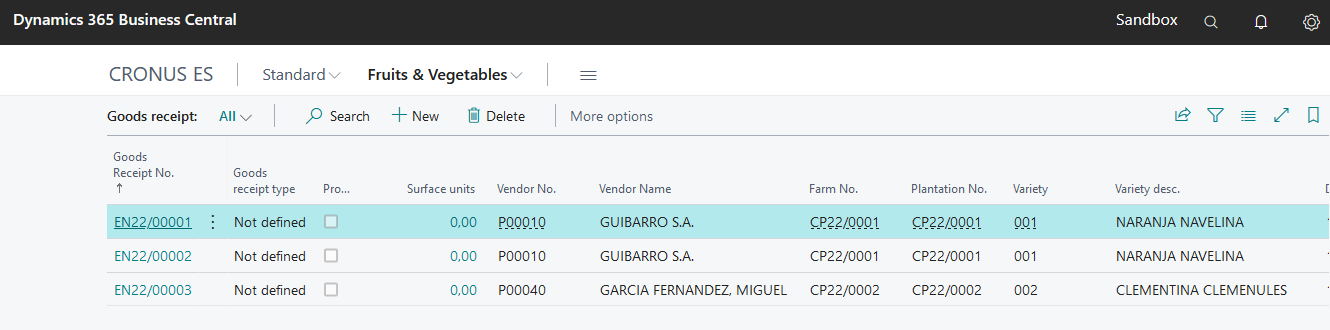
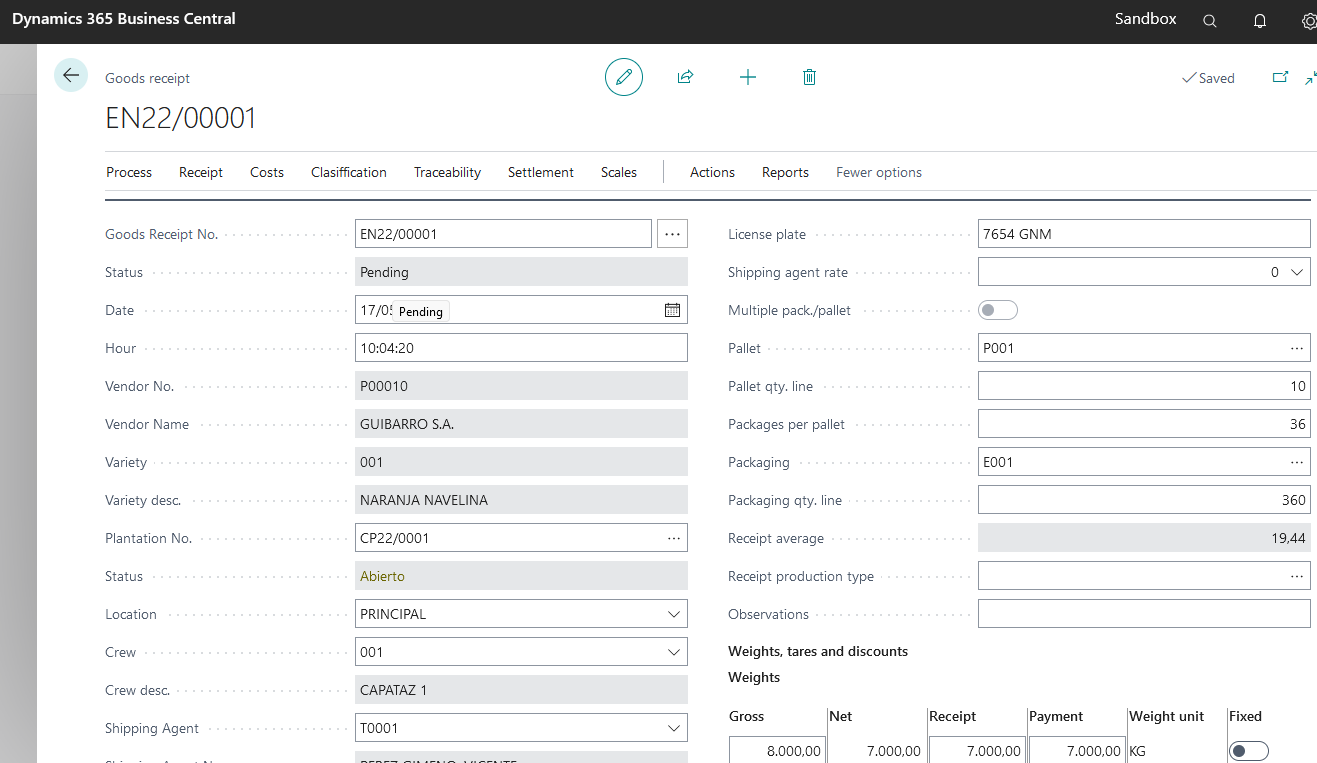
Once we access the card page of the goods receipt, we must fill in the following fields:
In General group:
- Goods Receipt No.
- Date
- Plantation No.: Expand the list and choose an existing one. When you validate it, it fills automatically Vendor and Variety.
- Location: Exists a default value, but you can choose another one if it is necessary.
- Crew: Choose an existing one.
- Shipping Agent: Choose an existing one.
- Pallet: Exists a default value, but you can choose another one if it is necessary.
- Pallet qty. line.
- Packaging: Exists a default value, but you can choose another if it is necessary.
- Packaging qty. line
- Units: Fill in the gross weight.
Print goods receipt
After we have filled in all the information in the card, we can print it.
Go to the Reports - Receipt note
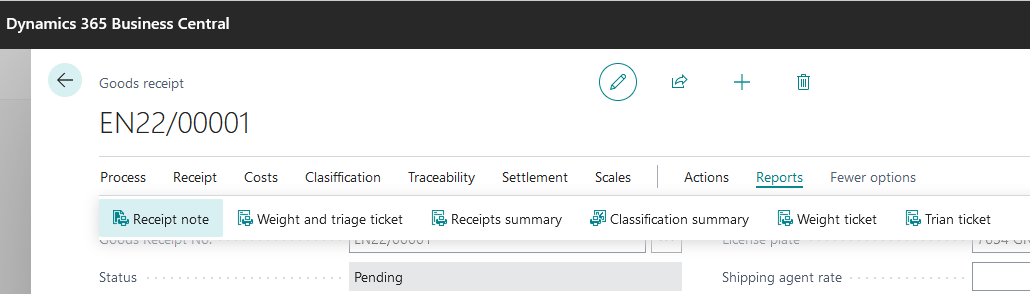
Choose the Preview button.